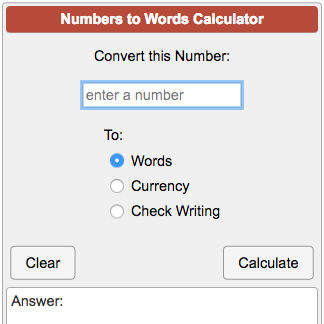
Convert a number into US English words or USD currency in words. Learn how to write a check.
This converter changes numbers to words and figures to words. Choose between letters in lowercase, UPPERCASE, Title Case or Sentence case so you can copy and paste the words easily into another application.
You can convert numbers to words for real numbers and scientific E notation. The calculator supports very small and very large numbers, with a limit of 300 digits ranging from 1e-300 and 1e+300.
One example of a very large number is a googol, which is the number 1 followed by 100 zeros. If you input this number into the converter the output is “ten duotrigintillion” and also “a googol.” A googol is not formally used in mathematics but we include it here as a very large number that may be familiar.
A googol can also be represented by these figures:
- 1 googol = 10100
- 1 googol = 1.0 x 10100
- 1 googol = 1E100
- 1 googol = 10 duotrigintillion
Convert Numbers and Figures to Words
Why turn numbers into words? There are cases where it is important or necessary to spell out amounts as words rather than numbers. Awareness of these conventions will help you decide when to write out numbers as words.
- In formal writing: In reports or academic papers, authors generally follow style guides like the APA Style Guide. Among other recommendations, these guides provide rules for spelling out numbers depending on size of the number, location in the sentence, and whether numbers are statistics, measurements, or fractions.
- In formal documents: Writing numbers to words for checks, financial documents and legal documents prevents confusion around numbers and amounts. This can also help stop fraud.
- For accessibility: Words can be easier to read for people with vision or reading difficulties. Screen readers and similar technologies may interpret “$100” and “one hundred dollars” differently. Users have a direct understanding when numbers are spelled out as words.
- Promoting clear communication: In speeches or slides, writing numbers as words shows the magnitude of a number or change in value. For example, a slide that says, “There are only 5,600 wild tigers left in the world,” is clearer and stronger when the words read, “There are only five thousand six hundred wild tigers left in the world.”
Write Numbers as Words in USD Currency
Why write numbers as words for money? When it comes to money nobody likes mistakes. Writing numbers as words reduces the chance for error and makes it hard for fraudsters to alter number amounts.
- Legal clarity: Using words makes monetary amounts clear in legal papers, checks and contracts.
- Prevent fraud: It’s harder to change written words than typed or handwritten numbers. While it’s possible to insert a digit to go from $100.00 to $1000.00, it’s difficult to change the words “one hundred dollars” into “one thousand dollars.”
- Clarity for everyone: Words help people from different parts of the world understand financial amounts.
- Standard practice: Businesses and government offices use both numbers and words to avoid mistakes like typos and number transpositions. If there is uncertainty, the written words are taken as the intended amounts.
For example, a legal document with “$5,979,294.35” should also be writtten as “five million nine hundred seventy-nine thousand two hundred ninety-four dollars and thirty-five cents” to avoid confusion.
When you convert a number into USD currency in words for check writing, this calculator rounds amounts to 2 decimal places.
Writing a Check
This calculator shows you how to write numbers in words on a check for US dollars.
Writing a check is still a useful skill, even with the rise in digital touch-free transactions. Landlords, utility companies and small businesses may still prefer payment by check. Checks also provide a paper trail for payments, which is helpful for record keeping.
Follow these instructions for writing a check and using the numbers to words calculator.
Step 1: Fill in the Date
- Write today’s date in the upper right. In the US, the month/day/year format is standard as in August 25, 2025, or 08/25/2025.
- In the UK and many other countries, the day/month/year format is used as in 25 August 2025, or 25-08-2025.
- For international or official use, the ISO format is YYYY-MM-DD as in 2025-08-25.
- If you write a check for use in another country, write the amount in your own currency. Banks usually use an exchange rate – how much one country’s money is worth compared to another’s – to change it into their currency. Use our Currency Converter calculator to see how much one currency equals in another.
Step 2: Write in the Payee’s Name
Write the full name of the person or company receiving the money on the line that says “Pay to the order of.”
Step 3: Write the Amount in Numbers
Write the payment amount in numbers on the line or in the box next to the payee’s name. For example, 5,075.62.
Step 4: Write the Amount in Words
Write the amount in words on the line below the payee’s name. You can use the calculator above to convert the numbers to words.
Example: Using the Calculator to Convert Numbers to Words
- Enter 5,075.62 in the Convert this Number box
- Choose the Check Writing option
- Pick Sentence case
- Click Calculate. The answer will show “Five thousand seventy-five and 62/100 dollars”
- Write the number words on the line. Most checks already have the word “dollars” printed at the end of this line. Before “dollars” write the cents as a fraction over 100. In this example it is 62/100. You can draw a line through the rest of the space for additional security.
Step 5: Sign the Check
Sign your name on the line at the bottom right of the check.
Optional Step 6: Add a Memo
Write a short note on the memo line at the bottom left of the check. This reminds you why you wrote the check. For example, “September rent,” or “Invoice #123.”
If you fill out the check correctly the check looks like this:
data statistics
Relevant Navigation